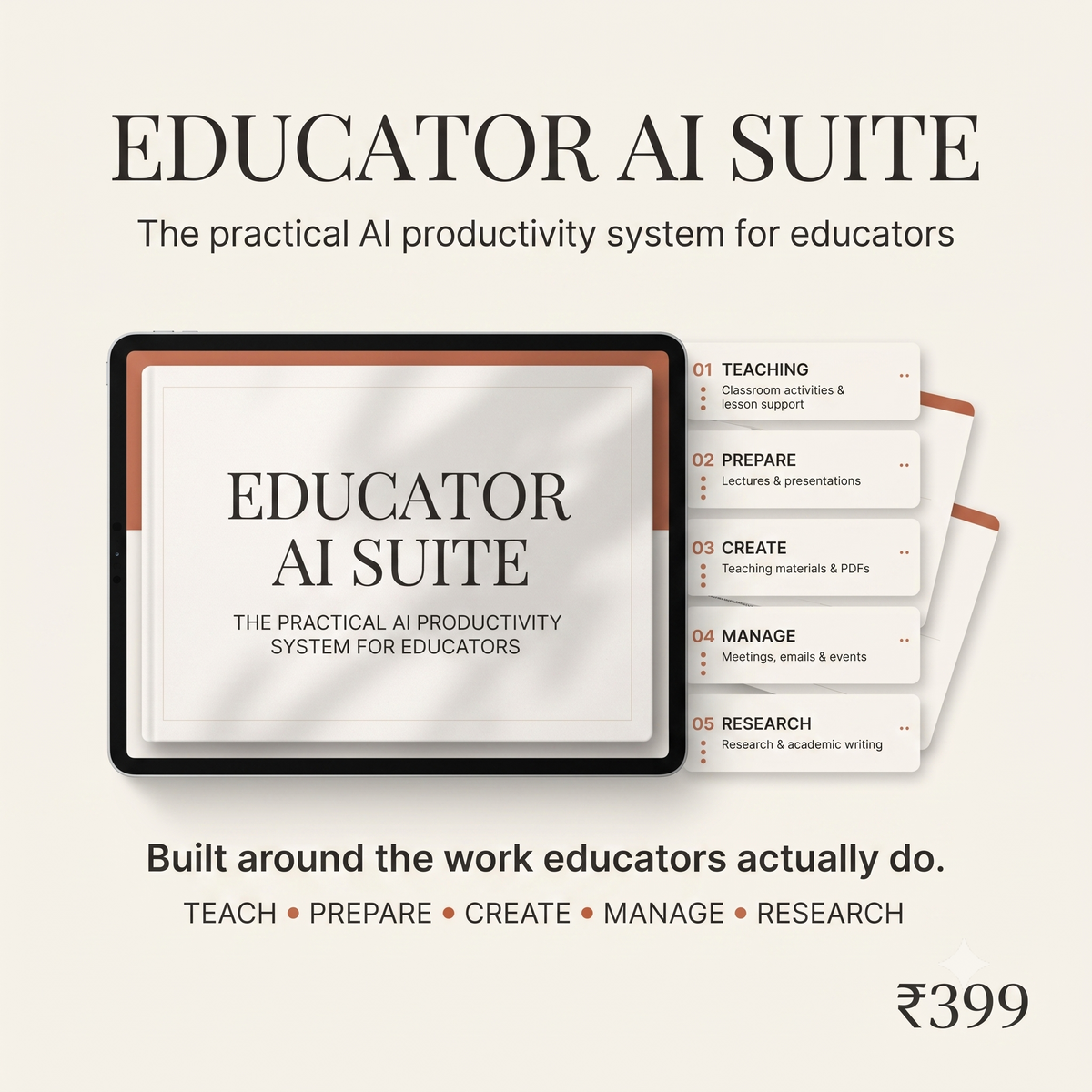

The Educator AI Suite
30+ task-specific AI workflows for lectures, PDFs, activities, presentations, events and research. Pick what you need, add your details, and get a structured prompt that turns into a usable first draft.



The only prompt library built around your actual academic week — from Monday's lecture to Friday's emails.
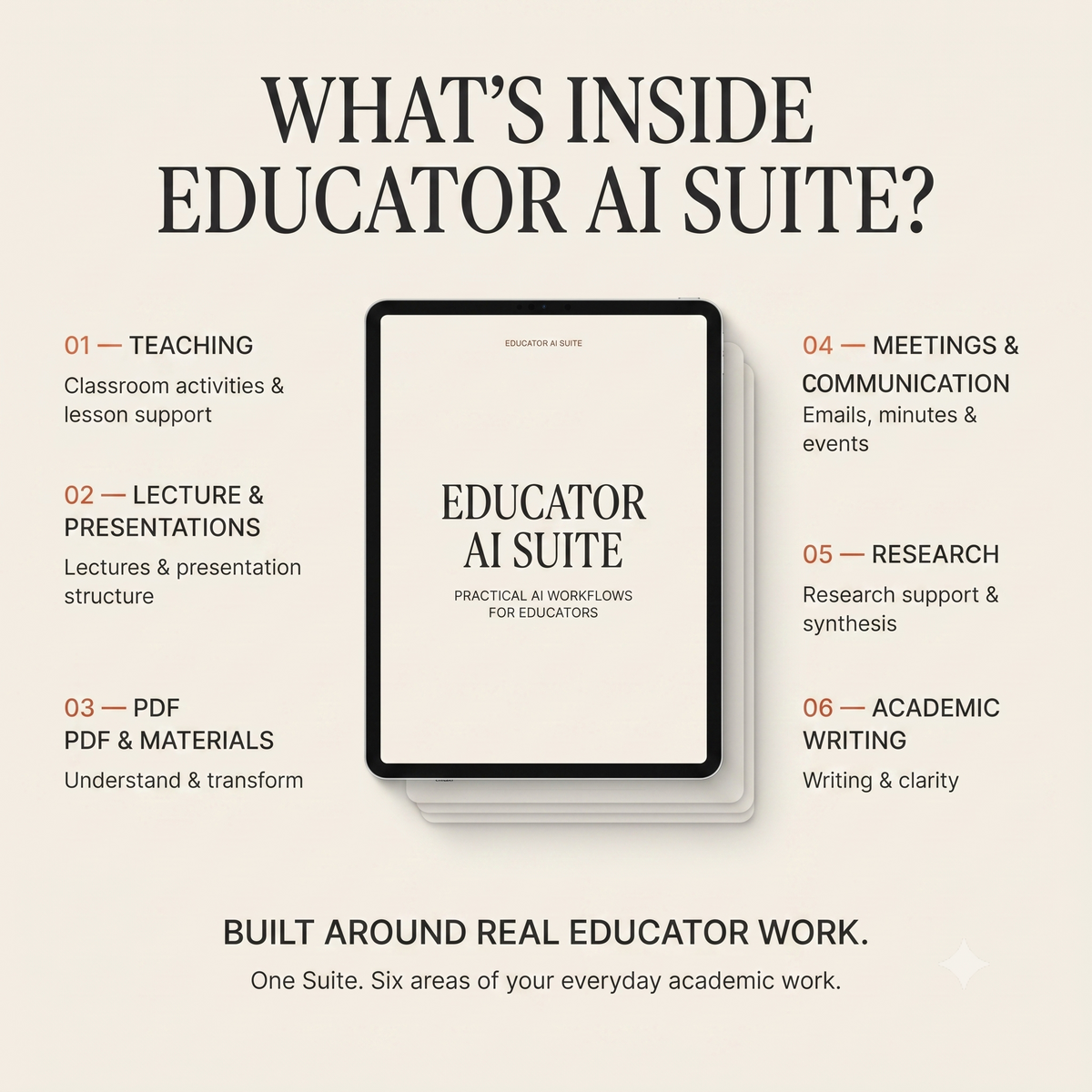
Six categories covering every task that eats your evenings. 30+ workflows organized around what educators actually do — not what a generic "AI course" thinks you do.
- · Lecture outlines & structure
- · Explanations & analogies for tough concepts
- · Real-world examples by discipline
- · In-lecture prompts and pauses
- · Handouts & supplementary reading
- · Key concepts & teaching notes
- · Student-friendly summaries
- · Discussion questions
- · MCQs & short-answer items
- · Common confusions clarified
- · Discussion & debate formats
- · Case-study exercises
- · Group work & role-plays
- · Quick-check formative assessments
- · Facilitator scripts & debrief prompts
- · Deck structure & storyline
- · Slide-by-slide talking points
- · Improve an existing deck
- · Speaker notes & transitions
- · Visual/imagery suggestions
- · Guest lecture invitations
- · Event announcements
- · Posters
- · Faculty-parent-student emails
- · Meeting agendas & minutes
- · Literature review support
- · Academic writing refinement
- · Abstracts & conference proposals
- · Research instruments (surveys, interviews)
- · Synthesis across multiple sources
The gap between a mediocre AI output and a class-ready one — is a single well-structured prompt.
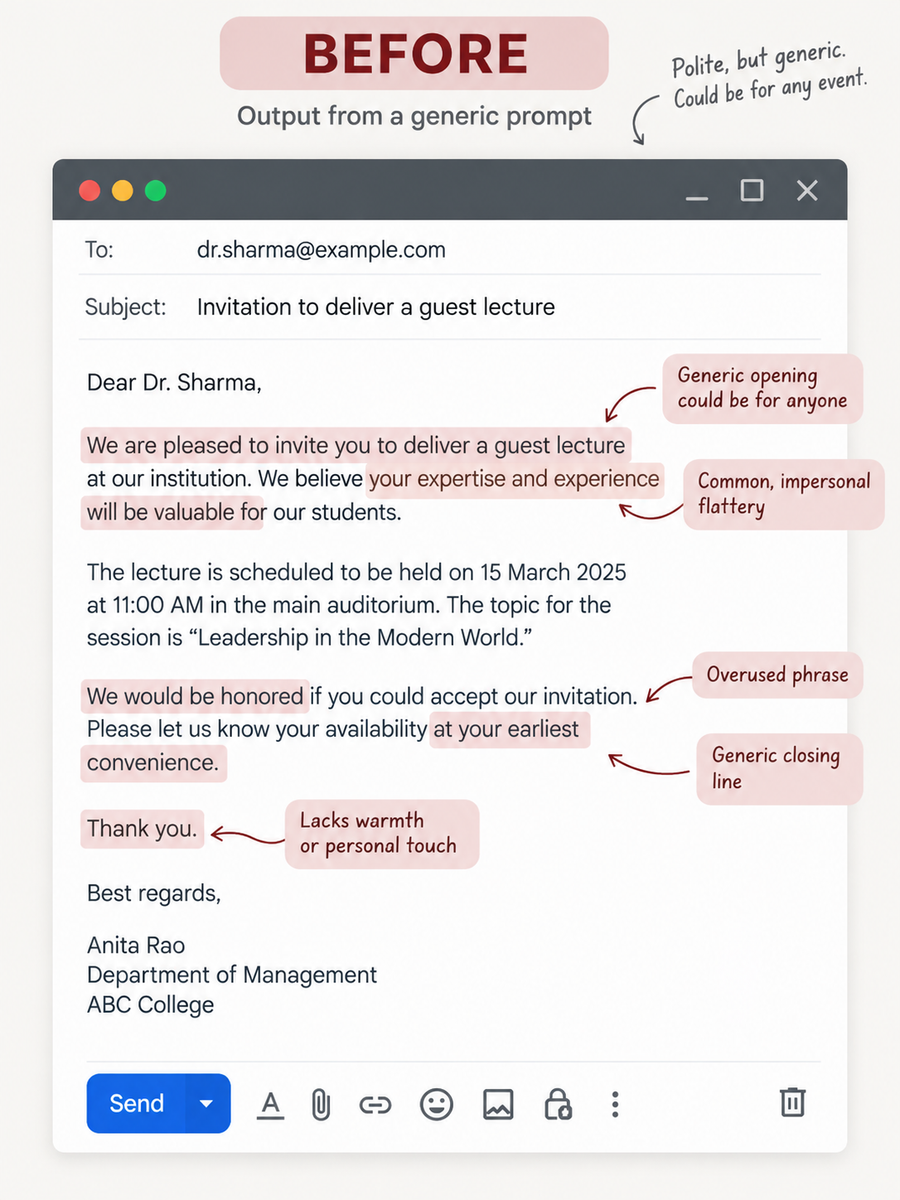
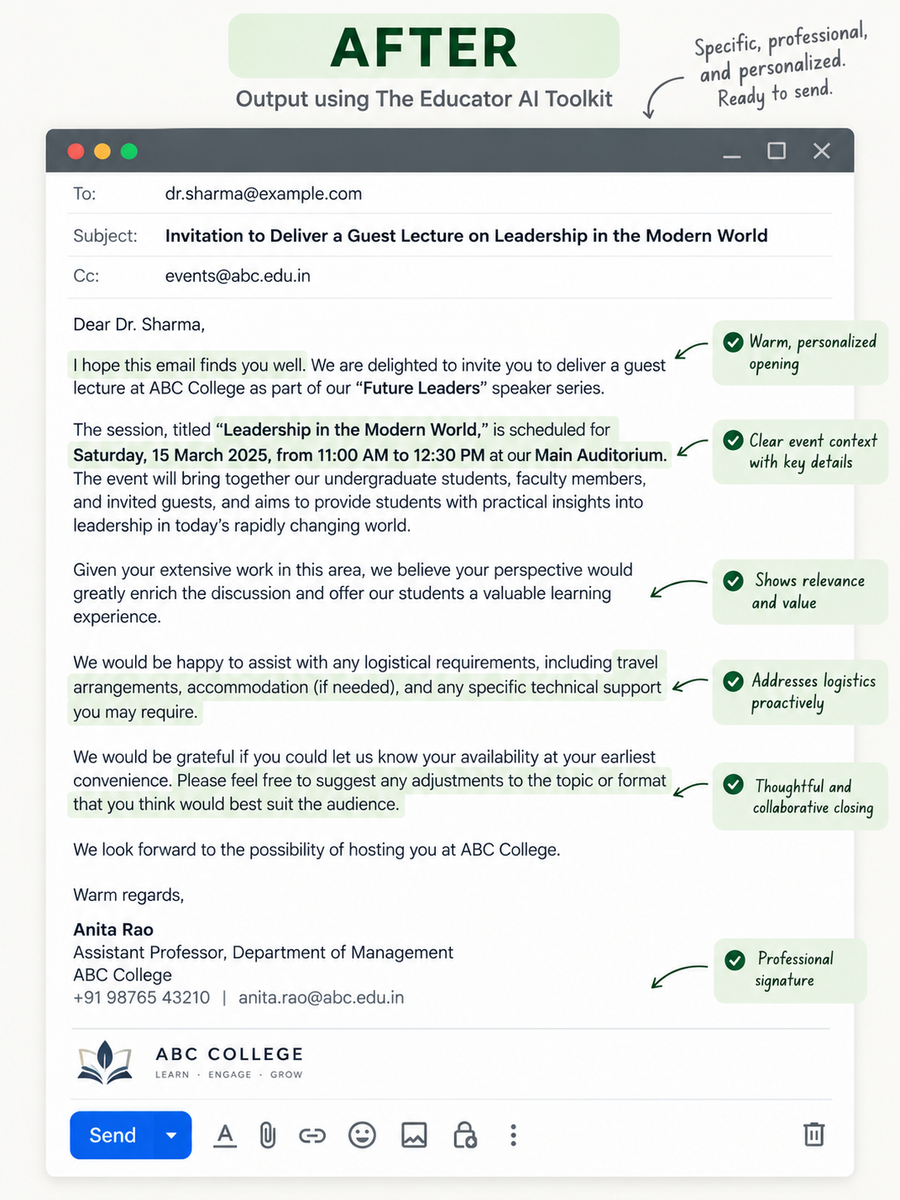
Real deliverables educators built with the Suite. Left: what raw ChatGPT gave them. Right: what the Suite's workflow gave them. Same topic, same 5 minutes.


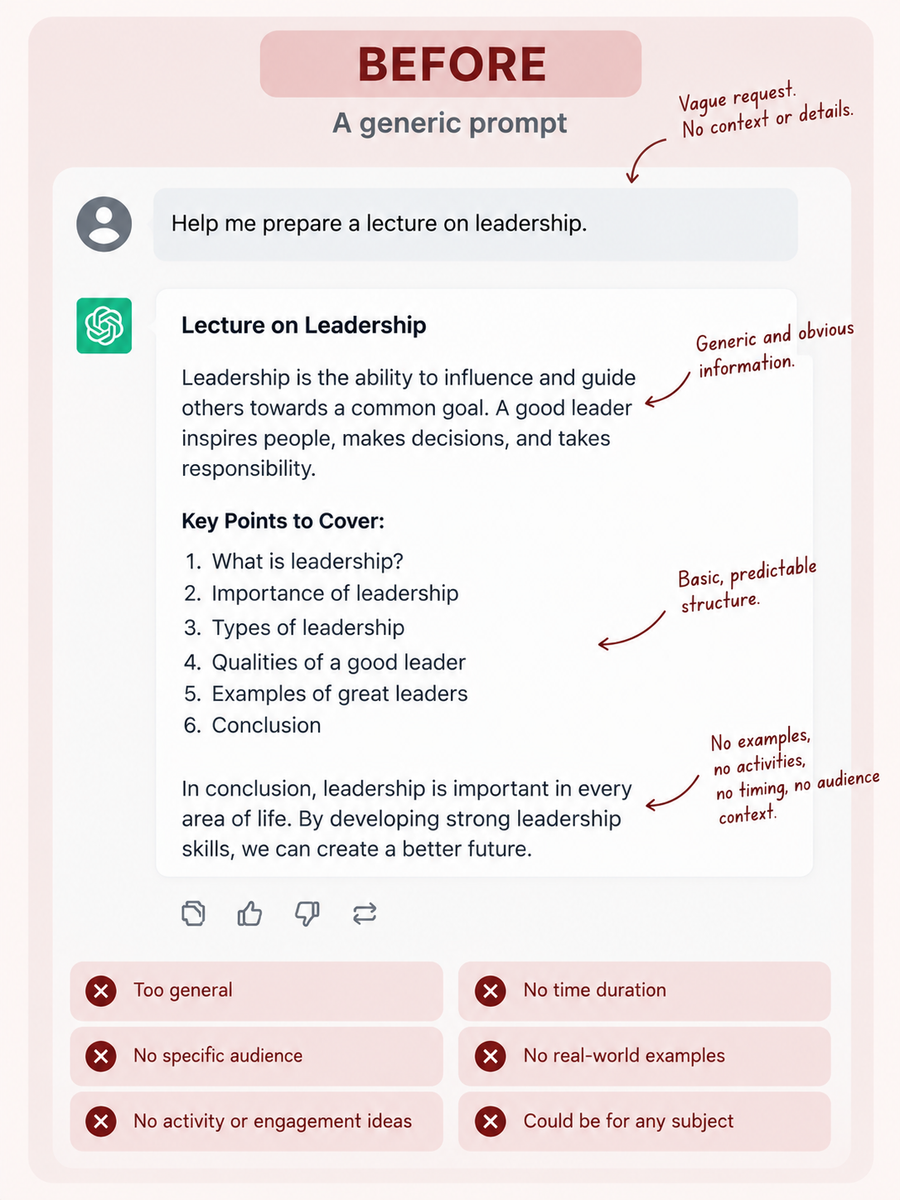
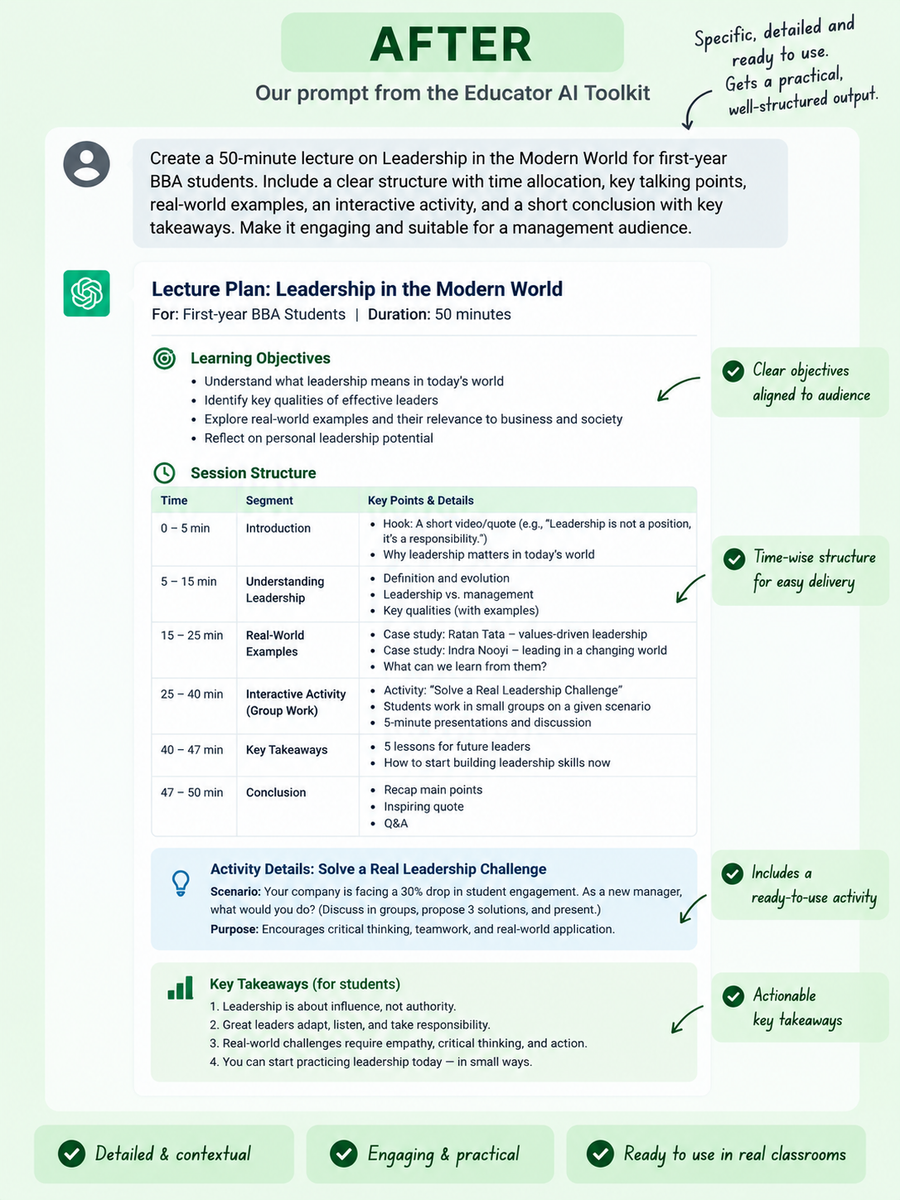
A clean PDF with 30+ ready-to-use prompts lands in your inbox the second you check out...
A clean PDF with 30+ ready-to-use prompts lands in your inbox the second you check out. Copy, paste into any AI, and get output you can actually use — first try. Here's exactly how it works, and exactly what's inside.
Lecture prep, PDF, activity, presentation, email, research writing — pick the workflow. The Suite meets you at your task, not at a blank chat.
Topic, student level, duration, learning outcome, tone. The Suite weaves those into a structured prompt — role, audience, objective, constraints, output shape — all in the background.
The Suite is sent to your email the moment you check out — open it right from your inbox. Copy any prompt into ChatGPT, Claude or Gemini. Edit for your class. Done in a fraction of the time.
Here's exactly what the PDF looks like inside.
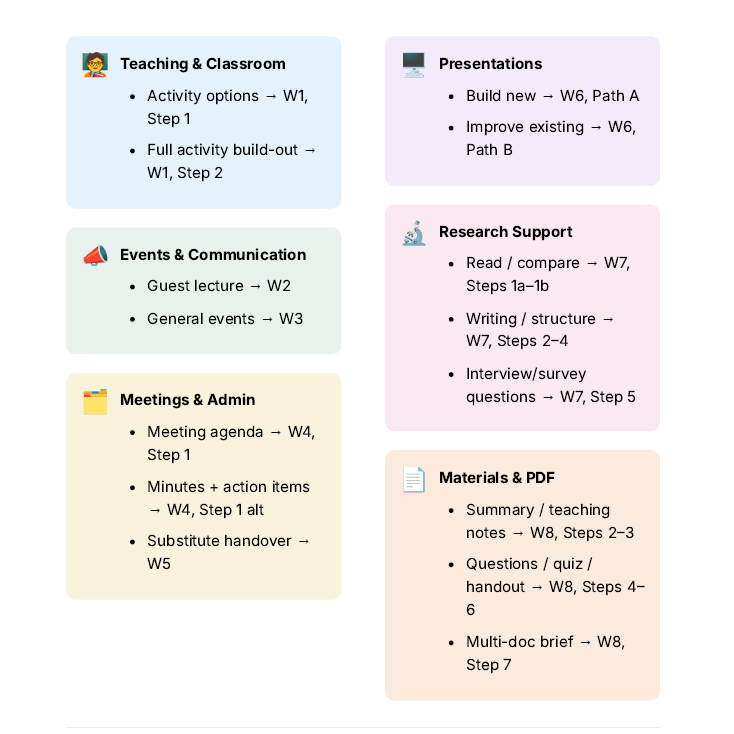
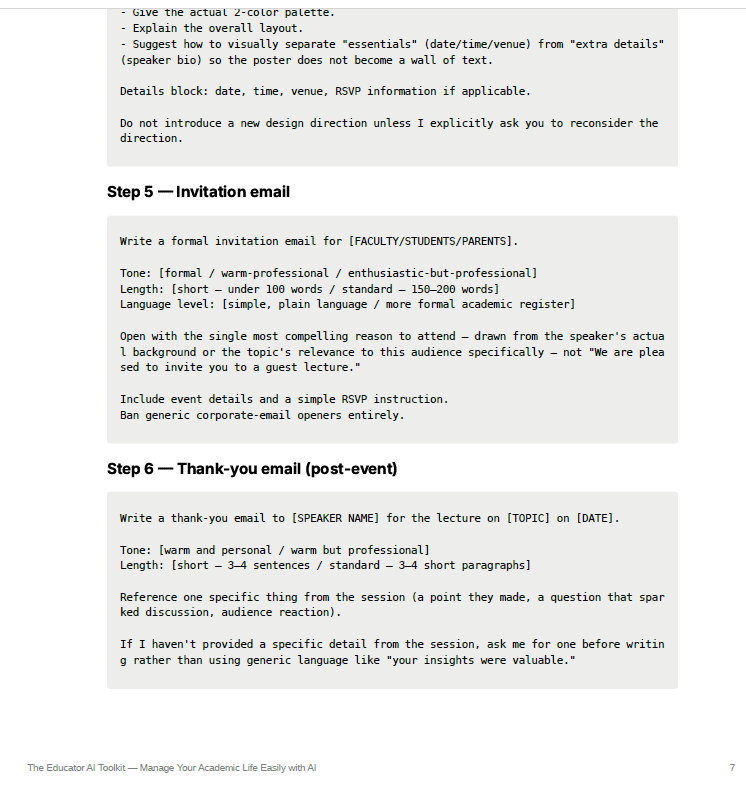

Educators who got their weekends back — in their own words.
“Cut my lecture-prep time in half. I stopped staring at a blank ChatGPT window and started actually shipping lessons.”
“The PDF workflows alone are worth ₹399. I gave it a 40-page paper and had a study guide in two minutes.”
“I've bought a dozen 'AI for teachers' PDFs. This is the first one built like a workspace, not a slide deck of tips.”
“Rubrics, MCQs, worksheets — the assessment workflows saved me an entire Sunday afternoon.”
“Works fine on ChatGPT free. That single detail made me trust it — no push to buy Plus.”
“₹399 for lifetime access is a joke — in a good way. I was expecting a monthly subscription trap.”
Skip the hours of building it yourself. Start with the finished system.
If you paid a freelancer to build these workflows and organize them for you, this is roughly what it would cost. You're getting the finished thing, delivered tonight.
Still on the fence? Every doubt answered — before you even ask.
What exactly do I get after I pay?
You will get a premium PDF file with most efficient prompts which you can just copy paste it in your AI platform
Do I need to pay for ChatGPT Plus or Claude Pro?
No. Every workflow is designed to work on the free tiers of ChatGPT, Claude, and Gemini. If you already pay for a Pro plan, you'll get slightly better outputs — but nothing here requires it.
Can't I just ask ChatGPT myself?
You can. But you'd still have to figure out what to ask, what context to include, and how to structure the output. The Toolkit has already done that work for you — just add your details, copy, and go.
Do I need to know how to write good AI prompts?
No. That's the point of the Toolkit. Each workflow already gives you the structure. Just fill in the details relevant to your task, copy the prompt, and paste it into your AI tool.
Who is this for — school teachers, professors, or both?
Both. The categories cover K-12 lessons and college lectures, plus research-writing workflows for faculty. If your week involves prepping, teaching, grading, or communicating with students, this is built for you.
Can I use the workflows for any subject or discipline?
Yes. The workflows are designed around the task rather than a specific subject. Add your topic, discipline, student level, learning objectives and other relevant details, and adapt the output to your context.
Will you add more workflows later?
Yes. New workflows are added as AI models evolve — you get lifetime access to every update at no additional cost.